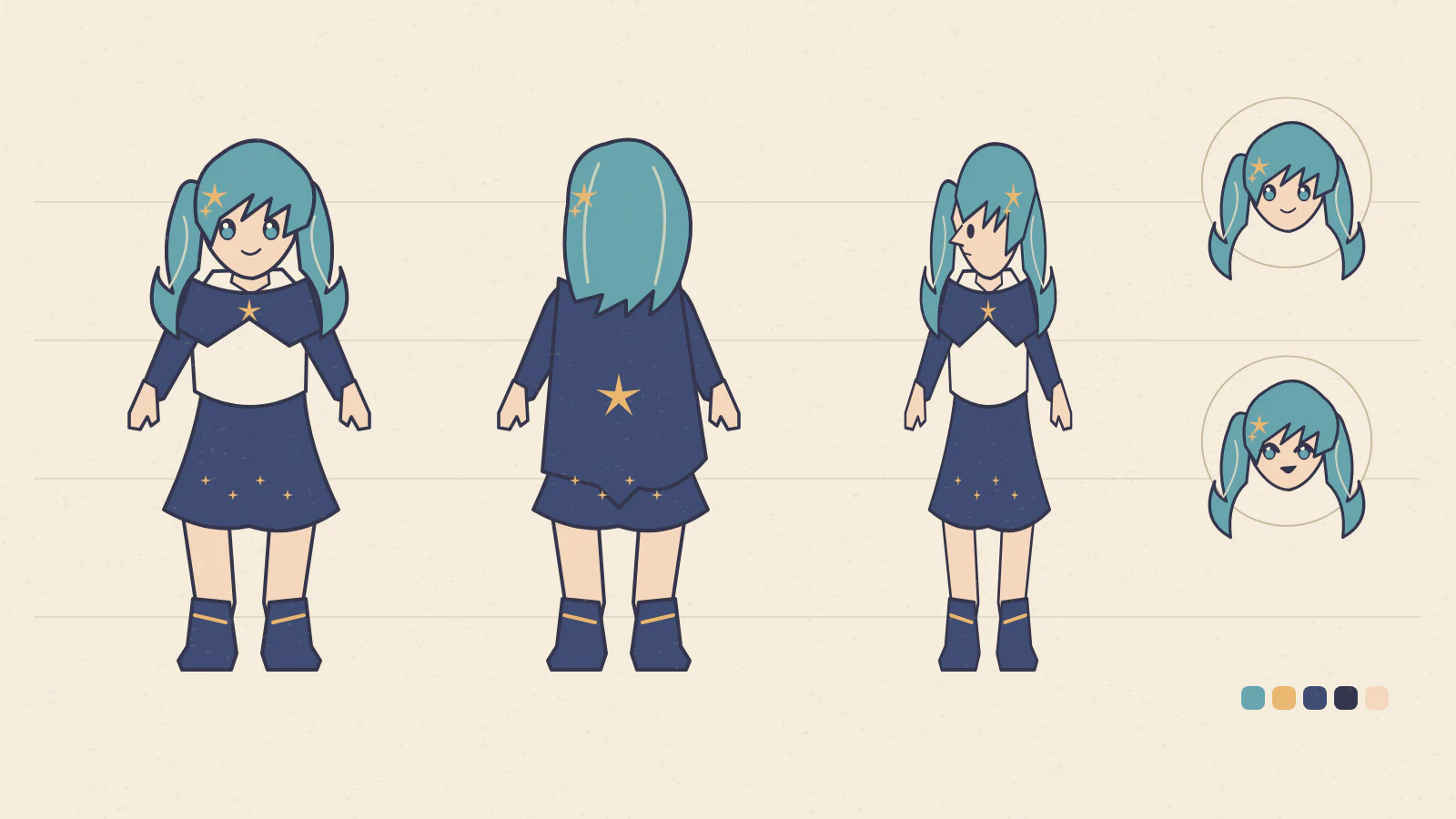
How do you brief a character turnaround?
- 01
Identify the signature features
Specify the silhouette, hairstyle and which side an accessory sits on.
- 02
Review the generated views
Compare collars, seams and fabric layers across the three views.
- 03
Collect a working palette
Copy the HEX swatches your artist needs for hair, trim and fabric.
How do you describe a signature detail another artist can reproduce?
Write down a few decisions the artist should be able to repeat without guessing. Specify where a clip sits, which sleeve is longer and how a cape hangs. Describe asymmetry from the character’s own left or right to reduce ambiguity.
Choose a feature that can be followed across views. A stripe might continue around a sleeve while a shoulder patch belongs to just one side. Describe both its design and its placement, then annotate the sheet wherever the model drew a conflicting interpretation.
- Night librarian
- A short-haired archivist with an indigo cape, a brass crescent on the character’s left shoulder and two cream stripes at the right cuff. Show the cape attachment from the front, side and rear in relaxed standing poses.
- Cloud mechanic
- A cheerful engineer in a charcoal flight jacket with coral piping. Place one square patch on the right upper arm and keep the left sleeve plain. Include a small expression study with the goggles resting on the forehead.
What belongs in a handoff to a VTuber artist?
A reference sheet can answer what the outfit looks like long before it answers how a sleeve moves. Add short annotations where one view disagrees with another and pick an intended version for the design.
| Part of the brief | Note for the artist |
|---|---|
| Asymmetric accessory | Record the character’s own side and show where the item attaches. |
| Fabric layers | Identify which sleeve, cape or ribbon should sit in front when shapes overlap. |
| Color palette | Assign an intended role to each sampled HEX value. A background swatch need not become a costume color. |
Does the reference sheet include a Live2D rig?
The output is one flat image. A Cubism project uses prepared art with separate, named parts and then requires modeling and rigging. Give the reference to the artist doing that preparation and settle the details before cutting layers.
Read Live2D’s PSD import documentation