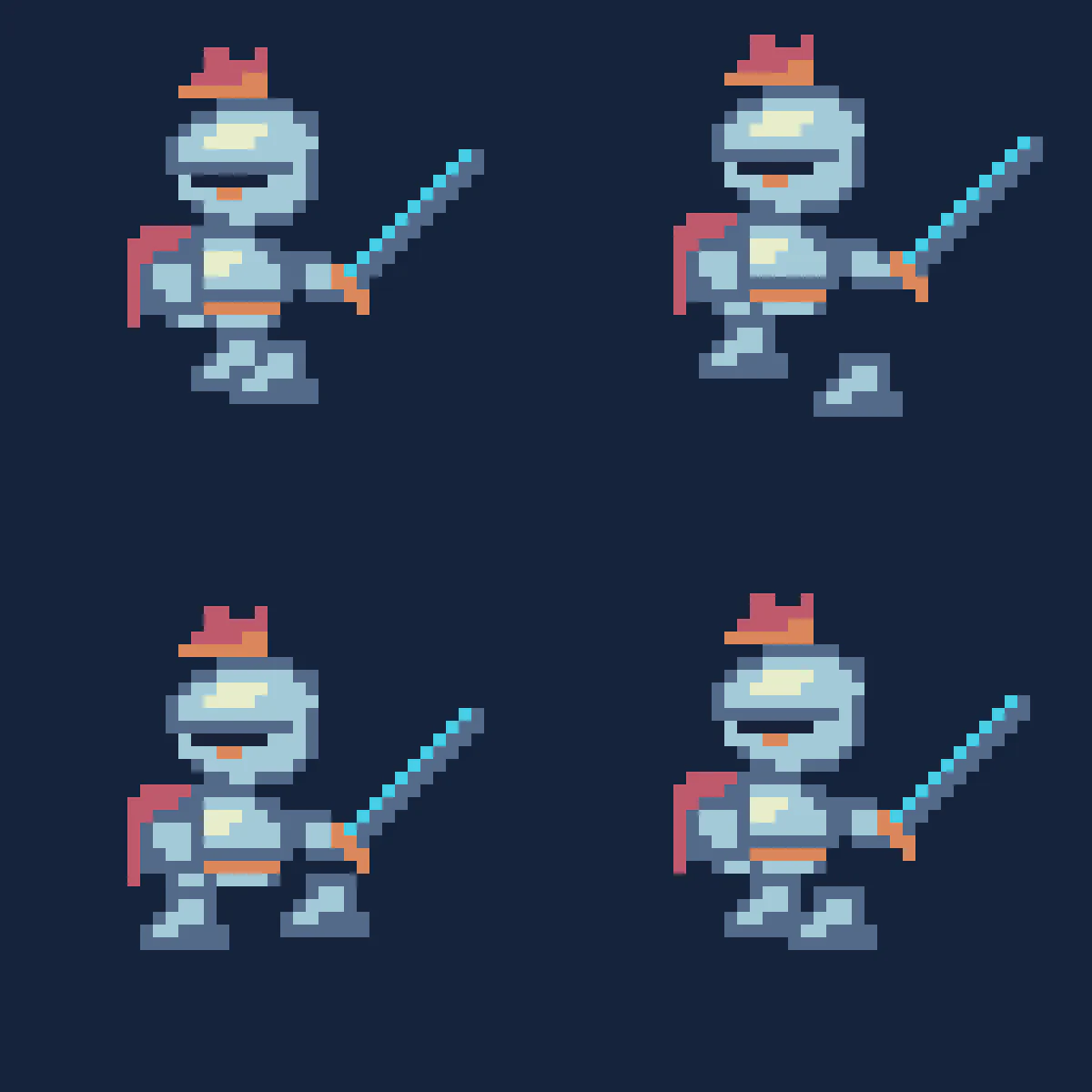
How do you stage one action across several cells?
- 01
Define the movement
Describe one movement and give the character a fixed anchor.
- 02
Inspect the sheet
Count the drawn cells and check that every pose fits its frame.
- 03
Play the grid
Set the rows, columns and speed, then watch the cycle repeat.
Which action makes a good first sprite test?
Choose a side view, one ground line and a short action that can be recognized from the outline alone. A walk cycle makes a better first test than several unrelated actions in the same sheet.
Choose a move whose crucial poses you can name before generating. If the midpoint should show both feet off the floor, look for that exact shape in the returned sheet. A preview can play any cells in order, including a sequence that accidentally skips the essential pose.
- Side-view walk
- A round blue courier robot walking to the right in one row of four evenly spaced poses. Keep its backpack and round yellow eye the same size. Align all contact poses on one horizontal ground line.
- One-shot hop
- A tiny green slime squashes, lifts, hangs in the air and lands. Keep the camera fixed and the lower edge of every cell aligned. Give the airborne pose a clear gap above the ground.
Why does a sprite jump during playback?
A painted character can be consistent while its position shifts inside the cell. Pause on a jump and compare the baseline, frame width and left margin. One incorrect row count can pull pixels from the adjoining pose.
| Symptom | Adjustment to investigate |
|---|---|
| The face crosses a frame edge | Check that the columns match the artwork and that a gutter was not counted as a frame. |
| Feet float on alternate frames | Recenter the affected poses to a shared ground line in a sprite editor. |
| The final pose holds too long | Check for blank or duplicate cells before changing the playback rate. |
How should you bring the sheet into an engine?
Save the original grid and tell the engine how many horizontal and vertical cells it contains. For artwork with irregular padding, slice or align the frames individually before defining the animation.
Read Godot’s Sprite2D frame settings