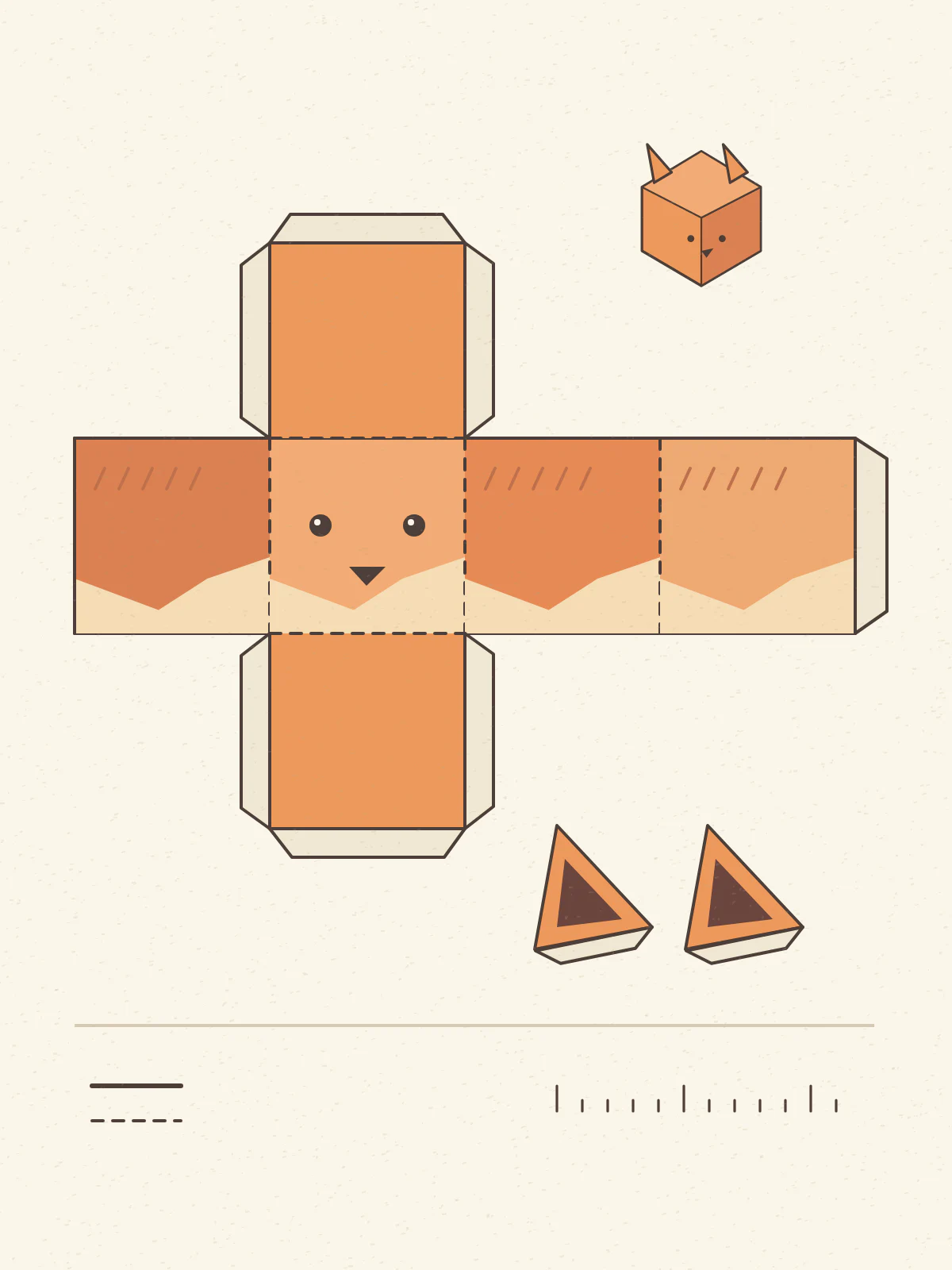
How do you draft a first paper model?
- 01
Specify the main faces
Describe the object and the broad faces that give it shape.
- 02
Read the template
Trace neighboring edges and identify the fold lines and glue tabs.
- 03
Make a test assembly
Print on A4 scrap paper and dry-fit two faces before gluing.
What can one small trial fold tell you?
Begin with a form you can imagine holding in your hands. A low-poly fox head, a small house or a gift box has a few major faces you can identify. Choose one object per sheet so that each piece has enough space.
Try a prototype with only a few main surfaces. Number two adjoining edges before you cut and mark which side should face out. If those edges already disagree, redraw them on paper before investing time in a complete model or in heavier final material.
- Faceted fox head
- A simple geometric fox mask study on white paper, with broad cheek panels, a triangular snout and two large ears. Separate the parts on the page and leave room for hand-written labels at the joining edges.
- Tiny house
- A cottage shell with four rectangular walls and a pitched roof. Keep the chimney as a separate optional piece. Show the tabs clearly and leave all window shapes printed on the walls for this first assembly.
What should you check before using cardstock?
An illustration model can draw plausible tabs where no neighboring face exists. A quick paper test reveals more than a polished render. Put matching pairs together and look for gaps in the assembled volume.
| Check | What can go wrong |
|---|---|
| Edge pairs | Two edges may have similar labels or lengths in the drawing but fail to join in a physical fold. |
| Tab placement | A tab can overlap a visible face or leave too little room for the next one. |
| Paper grain and thickness | A shape that folds easily on a thin proof can behave differently on final stock. |
When do you need a true 3D unfolding tool?
For a precisely fitted costume, scale replica or repeatable production pattern, work from a dimensioned 3D mesh. A dedicated unfolding tool computes edge relationships and lets you edit seams on that source geometry.
See how Pepakura unfolds a 3D model