

Free · For your own photos

Remove Watermark from Photos with AI

Get back a clean version of your own photo — no stamped date, no app logo, no leftover text — without hours of cloning by hand.

Drop a photo to remove the watermark

JPG, PNG or WEBP · up to 10 MB · or paste with Ctrl+V Up to 1 image(s) with this model.

Only edit images you own or have rights to. Acceptable use

1 free edit, no sign up

Mountain landscape with a large text watermark removed — After
Mountain landscape with a large text watermark removed — Before
BeforeAfter
Text watermark

ImageMuse Watermark Remover lets you remove watermarks, logos, text overlays and date stamps from photos you own. Brush over the mark and AI rebuilds only that area, keeping the layout and size of the rest of the photo. The first image is free; after that each image costs 10 credits. Only edit images you have rights to.

How Do You Remove a Watermark from a Photo?

Getting a clean copy of your own picture takes three steps:

  1. 01

    Upload the photo

    Use the highest-quality copy you have; the AI rebuilds the hidden area from the pixels around it.

  2. 02

    Mark what should go

    Paint over the watermark, logo or date stamp, including its shadow or glow, a little wider than the mark.

  3. 03

    Apply and compare

    Check the repaired area with the slider, then download. If a faint trace is left, paint it and run again.

Why Not Just Crop or Clone the Watermark Out?

Cropping and the clone stamp both work in some cases; the AI brush covers the rest:

AI brush compared with cloning by hand and cropping
MethodAI brushClone stamp by handCropping
How it worksPaint the mark; AI rebuilds that areaCopy nearby pixels over the mark, stroke by strokeCut off the edge that holds the mark
Works on a mark in the middle
Keeps the full picture
Skill neededNoneAn editing app and practiceNone
CostFirst image free, then 10 creditsYour timeFree

Crop when the mark sits on an edge you do not need. Use the brush when it covers something you want to keep.

What Can You Remove from a Photo?

Small marks on a simple background vanish completely; large marks over faces or fine patterns are harder:


Orange film date stamp removed from a couple photo — After
Orange film date stamp removed from a couple photo — Before
BeforeAfter
A film date stamp brushed away.
Food photo with a corner logo removed — After
Food photo with a corner logo removed — Before
BeforeAfter
A corner logo removed from a food photo.
  • Date stamps

    Difficulty: Easy

    Small, in a corner, on a simple background. Paint the digits plus their orange glow.

  • App and camera logos

    Difficulty: Easy

    The "Shot on" badges and editing-app logos that sit in a corner of your own pictures.

  • Captions and text overlays

    Difficulty: Medium

    Brush each line separately. Text over a face or a detailed pattern takes a second pass more often.

  • Badges on your AI images

    Difficulty: Medium

    Visible marks only. Invisible watermarks stay, and some places require AI images to stay labelled.

  • Your own signature or handle

    Difficulty: Medium

    Useful when you want an unsigned master copy of work you published with a signature.

  • Tiled, semi-transparent marks

    Difficulty: Hard

    They cover most of the image, so faint traces can remain. Usually the sign of a licensed image: buy the licence instead.

  • Remove date stamps from old photos

    Orange film-camera digits over sky or grass are among the easiest marks: one brush pass. Scan at high resolution first.

  • Remove logos and text overlays

    Paint the logo with a thin border; brush each line of text separately to keep more of the original.

  • Clean up your AI-generated images

    Brush a visible generator badge away if the terms let you use the image.

Invisible watermarks such as SynthID and content credentials (C2PA) are not removed, and some regions require AI images to stay labelled when published. Check the rules where you post.

When Is It OK to Remove a Watermark?

Removing a watermark is fine when the picture is yours or you have permission, and not fine when it helps you use someone else's work without paying or crediting them.

Stock watermarks protect photographers' income; a licence is usually cheaper than you expect and gives you a larger, cleaner file.
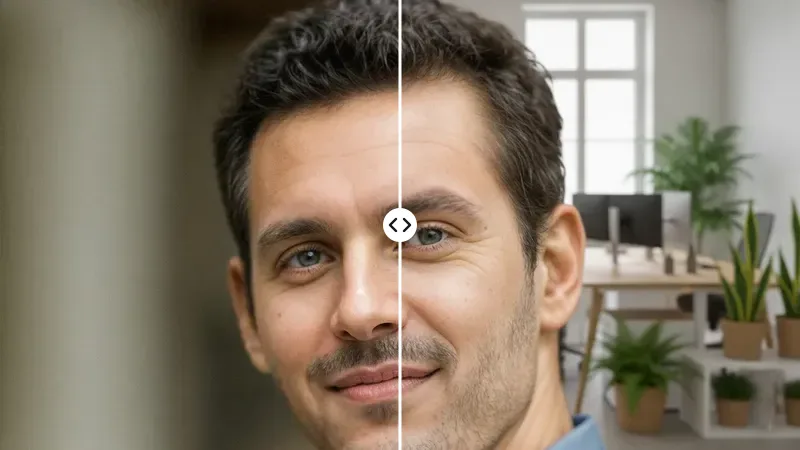
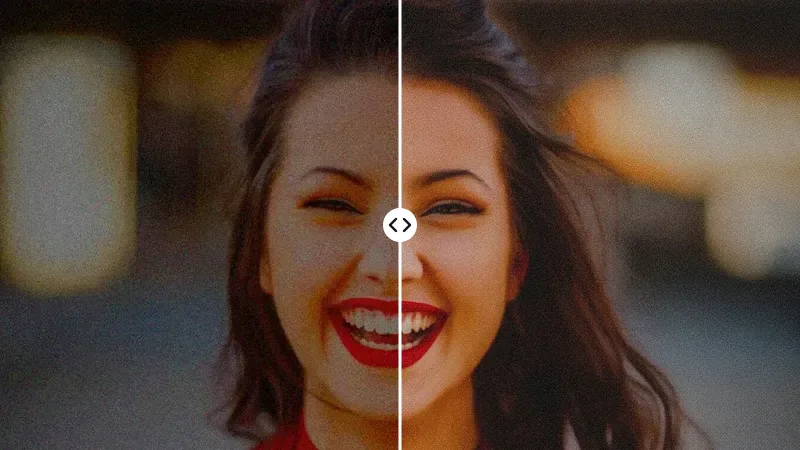
Watch the Watermark Remover in Action

A real brush-and-remove run on your own photo.

Frequently asked questions

Is it free to remove a watermark?

Your first image is free, with no account. After that, each image costs 10 credits. New accounts receive free credits after verifying their email, and you can run a second pass on the result if a trace is left.

Can I remove a date stamp from a scanned photo?

Yes. Date stamps from film cameras are small and sit on a corner, which makes them one of the easiest marks to remove. Brush over the digits slightly wider than the orange glow around them, and the AI fills the area with the surrounding grass, sky or wall.

Is removing a watermark legal?

Removing a watermark from your own photo, or from an image whose licence allows editing, is generally fine. Removing someone else's watermark to reuse or resell their work can infringe copyright, and in the US removing copyright information can separately break Section 1202 of the DMCA. Our acceptable use policy only allows editing images you have rights to.

What if the result leaves marks?

Brush again a little wider than the mark, including its shadow or glow, and run it once more on the result. Large, semi-transparent watermarks that cover most of the picture are the hardest case, and faint traces can remain even after a second pass.

Does the output have a watermark?

No. ImageMuse does not add a watermark to your results, on free or paid use. Downloads are clean files.

Does it change the rest of my photo?

Only the area you brush is rebuilt. Faces, composition and image size stay the same as your upload; a pixel-by-pixel comparison shows only tiny tonal differences outside the brushed area. That is also why a stroke just wider than the mark gives the most natural result.

Can it remove invisible AI watermarks?

No. Tools like this only remove what you can see. Invisible watermarks such as Google SynthID and content credentials (C2PA) are not removed, and in some regions visible labels on AI-generated images are legally required, so check local rules before removing them.

More AI photo tools

Last updated: